STEP 1
Set A / B points
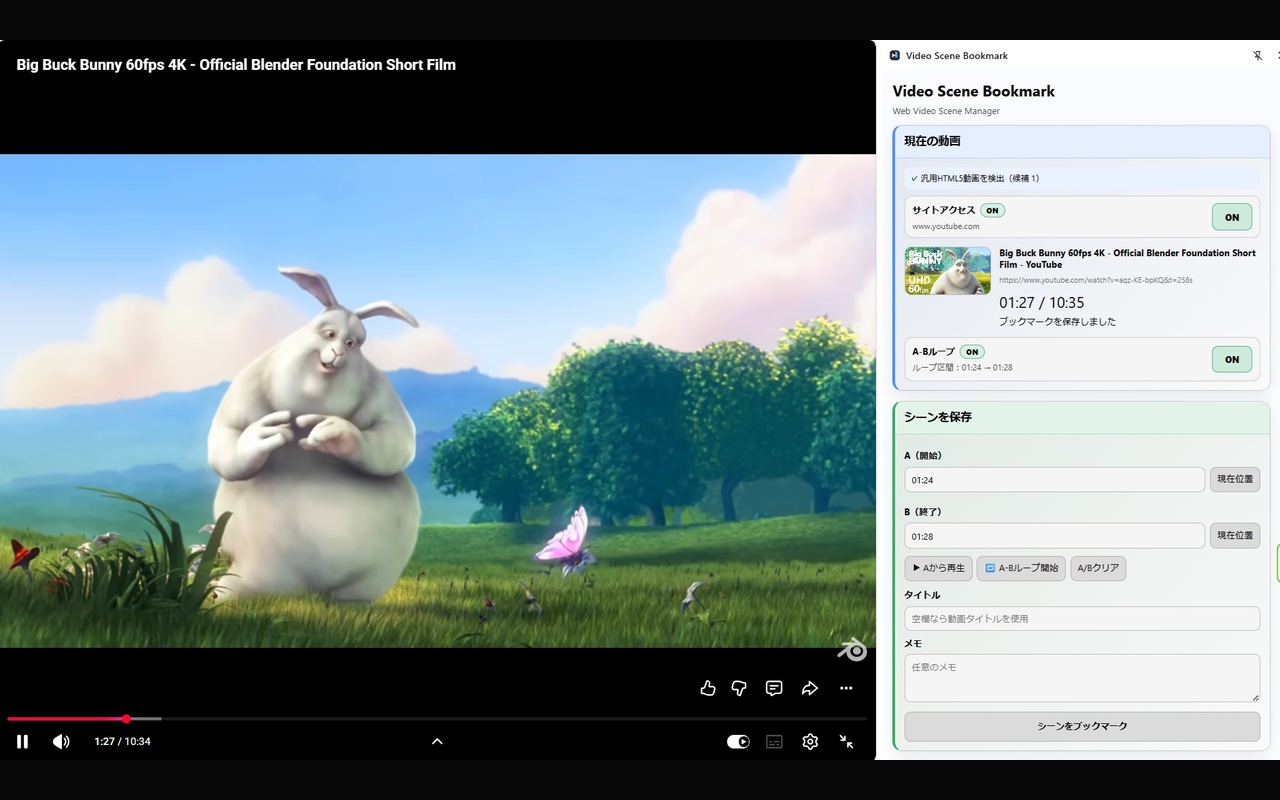
While the video is playing, set point A for the start and point B for the end of the part you want to keep.
Mark the start and end of a web video with A/B points, save that range as a Scene, and replay, loop, or search it later.
Ever remember a useful moment in a long video, but not where it was? You should not have to scrub through the timeline every time.
Choose a range while watching, save it as a Scene, and come back to it whenever you need it.
While the video is playing, set point A for the start and point B for the end of the part you want to keep.
Save the time range together with a title, note, and—when available—a thumbnail.
Find a saved Scene and play it with one click. You can also repeat the same A–B range in a loop.
These are screenshots from the currently published extension. Set ranges, manage saved Scenes, and search from the side panel.
Choose an A/B range and save it as a Scene.
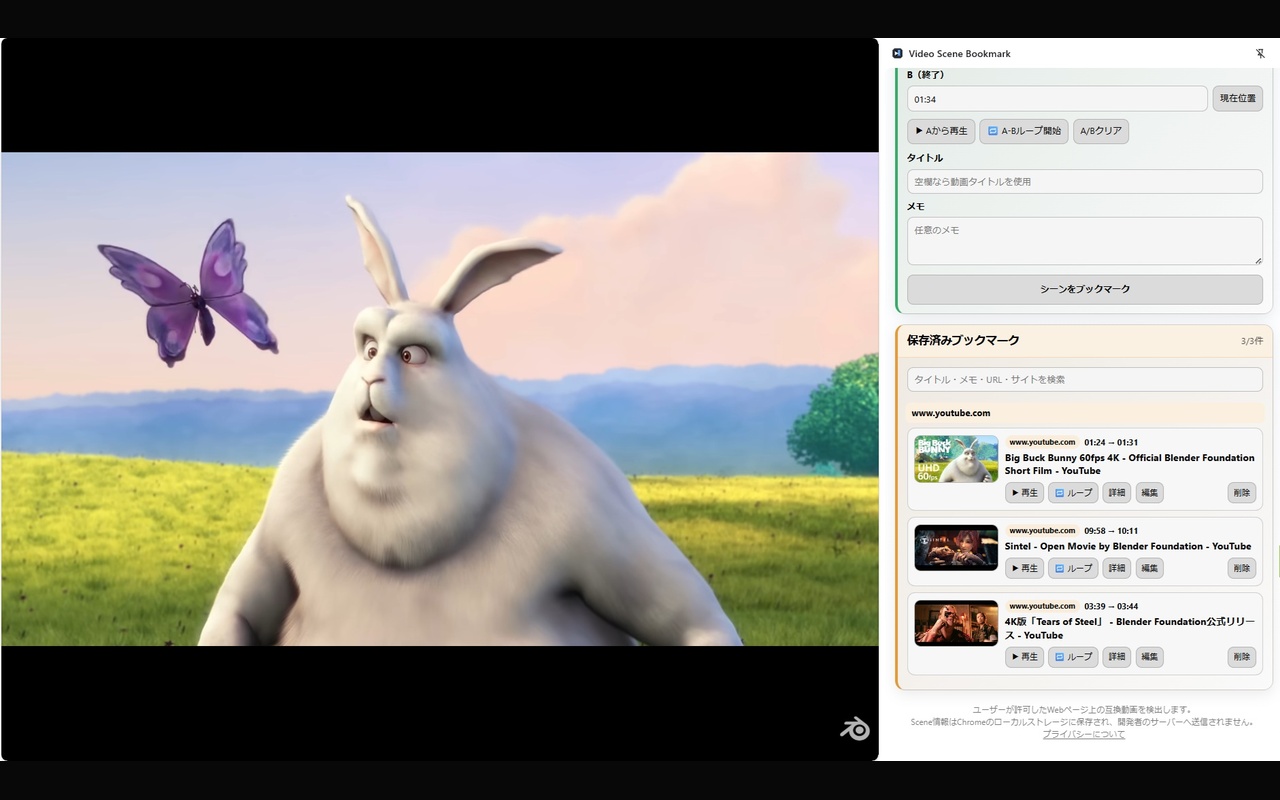
Replay, loop, edit, or delete saved Scenes.
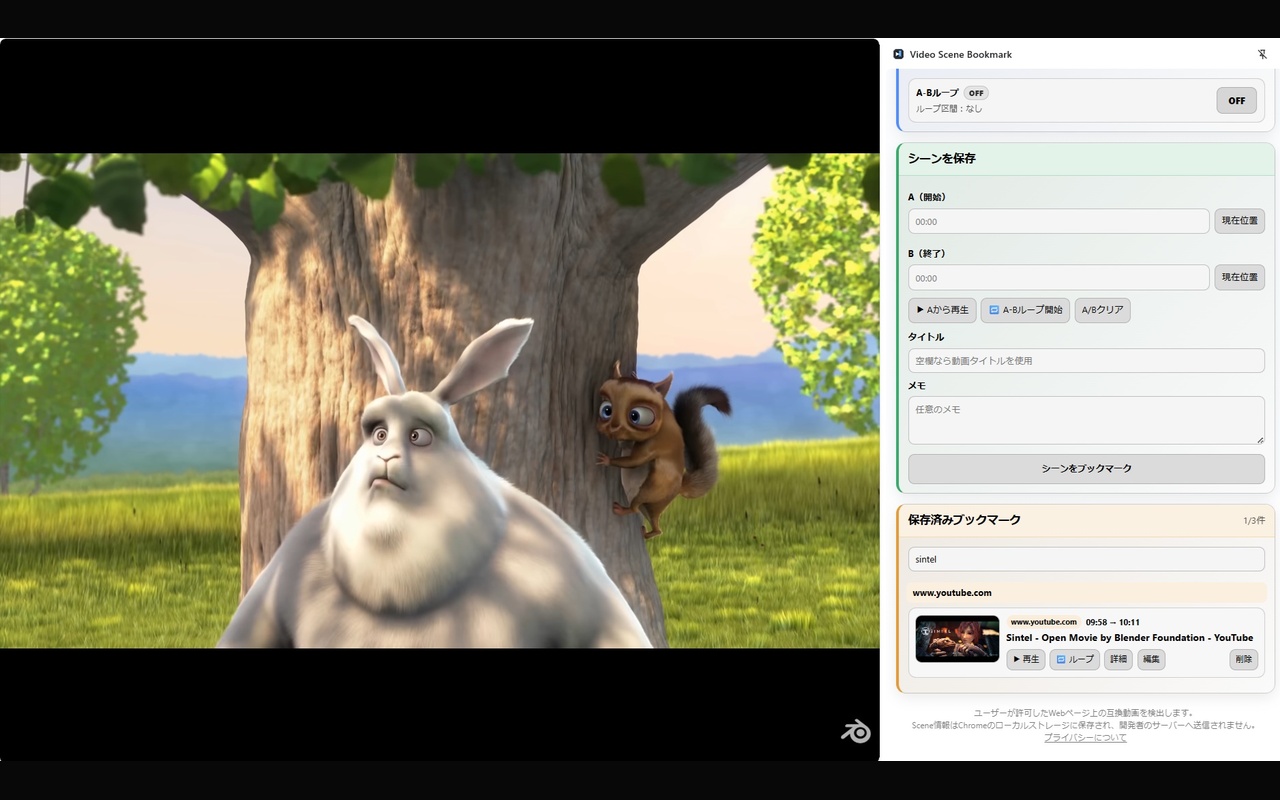
Search your Scene library by title, notes, URL, and site information.
Video Scene Bookmark is designed for situations where you want to return to a specific moment, not the entire video.
Save difficult phrases and replay only the part you want to hear again.
Keep a difficult movement or performance section and review it as many times as you need.
Bookmark important explanations so you can return to them quickly during study or review.
Build your own library around meaningful moments instead of entire video URLs.
Main features available in the currently published version.
Set a start point A and end point B for the part you want to revisit.
Save a selected range together with a title and notes.
Open a Scene and jump directly back to the saved moment.
Repeat only the selected range when practicing or reviewing.
Add context so saved Scenes are easy to understand later.
Show a thumbnail when one can be obtained from the page.
Search titles, notes, URLs, and site information to find saved Scenes.
Update or clean up your saved Scene library at any time.
You choose which websites the extension is allowed to access.
A simple video tool does not need unnecessary data collection.
Save the exact part of a video you want to revisit with Video Scene Bookmark.
Add to Firefox — FreeAvailable free on Firefox Add-ons